
Muv Luv Girls Garden Platforms: All Stores
Steam, DMM, App Store and Google Play: which Muv Luv Girls Garden build runs where, what each one charges, and which version does not exist yet.
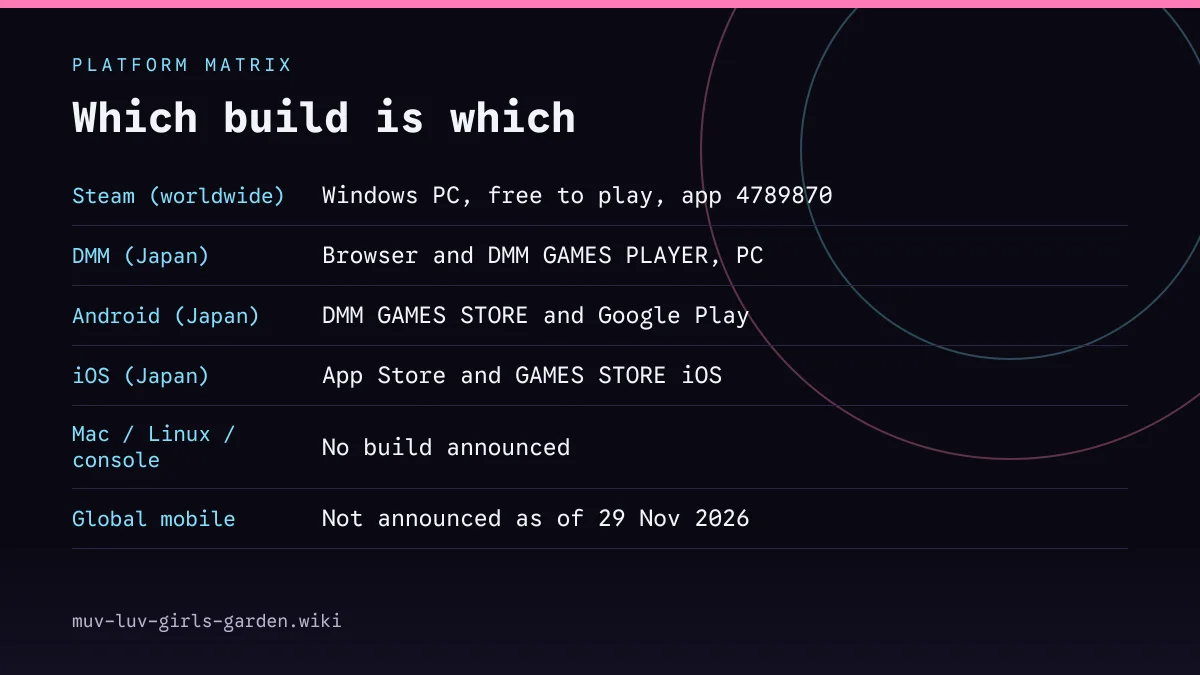
Muv Luv Girls Garden is a Windows game on Steam outside Japan. Inside Japan it also runs in a browser on DMM GAMES, in the DMM GAMES PLAYER, and as a phone app on Android and iOS. There is no global mobile release, no console version, and no Mac or Linux client. Steam has not rated it for the Deck either.
If you want English, Steam is the only door. The Japanese service has run on five storefronts since September 2025, and which one you pick decides what you can install and what you can carry over.
Official source: Muv-Luv Girls Garden on Steam ↗, App ID 4789870. Platform list for the Japanese service from the official Japanese site ↗.

The matrix
| Build | Storefront | Running since | Price |
|---|---|---|---|
| Global PC | Steam | 23 November 2026 | Free, gems sold in app |
| Japan PC | DMM GAMES in a browser | 3 September 2025 | Free, gems sold in app |
| Japan PC | DMM GAMES PLAYER | 3 September 2025 | Same account, same shop |
| Japan Android | DMM GAMES STORE, Google Play | March 2026 | Same |
| Japan iOS | App Store, GAMES STORE iOS | September 2026 | Same |
| Global phone | none | Not announced | n/a |
| Console, Mac, Linux | none | Not announced | n/a |
The browser client and the DMM GAMES PLAYER open the same game on the same DMM account. The player is a desktop wrapper, not a separate product.
Steam is the global build, and only that
The Steam version is free to play with in-app purchases, installs at 20 GB, and ships with English, Simplified Chinese and Traditional Chinese text. Audio is Japanese in every language setting. The store page lists single-player, multiplayer, PvP, in-app purchases and Family Sharing, and there is a separate demo download for anyone who wants to test the Maze before committing to the full install.
The PvP is asynchronous, so it works on a laptop with a bad connection and no matchmaking queue. Family Sharing shares the library rather than the account: gems, roster and progress stay with the Steam account that earned them.
The Steam listing breakdown → goes through the tags, the review history and the demo app. If your question is whether the machine can run it, the system requirements page → has the 20 GB figure and the minimum GPU.
The Japanese line-up, in plain terms
Japan gets the game in a browser at DMM GAMES, in a lightweight desktop wrapper, and on both phone platforms. The phone app arrived in two stages: Android first, in March 2026, with iOS following in September 2026 alongside the first anniversary update. GAMES STORE is DMM's own app market; the App Store and Google Play listings are the conventional ones. All four routes log into the same DMM account, which means a save started in a browser opens on a phone.
The Japanese client is Japanese only. There is no language switch, no English menu, and no official patch that adds one. That single fact decides most of the "which platform" arguments: a global player cannot use the Japanese phone app as a workaround, because the workaround is unreadable.
The global phone version that does not exist
Nothing has been announced. The official English site links Steam and nothing else, there is no App Store or Google Play listing under the English name, and no pre-registration page exists.
A phone release needs its own store submission, payment setup and support pipeline, and the Steam launch had a rough first week. Until a listing appears under the English name, any date you see for global mobile is a guess.
It runs the Japanese build with 56 characters and a year of events. Installing it does not give you the English roster, and progress there does not transfer to Steam.
Accounts and cross-save
There is no cross-save between the Japanese service and the global Steam build. They are separate products with separate account systems: DMM on one side, Steam on the other. Nothing in the store listings or the press material describes a link, a transfer window, or a one-time migration.
A Japanese account with a year of units cannot be carried into the English client, so restarting is the only option. Spending is trapped where it happened: gems bought on DMM stay on DMM.
Within Japan, cross-device play works because every route uses the same DMM account. Within the global build, Steam Cloud keeps your save across PCs. Those are different features and only one of them is cross-platform.
The adults-only build
A separate adults-only version exists. In Japan it is listed on FANZA under its own product name, with its own store page and its own age gate. Outside Japan, an adults-only build has been distributed away from Steam. None of it is the version this site covers.
If you only ever see the Steam store page, you are seeing the all-ages build: same systems, same roster, different presentation. The platform table above does not change because of it.
Picking a platform without wasting a week
- You read English and own a Windows PC. Steam. There is no second option, and the demo costs nothing.
- You read Japanese and want it on a phone. DMM GAMES STORE for Android, the App Store or GAMES STORE for iOS. Same account as the browser version.
- You want it on a TV or a handheld. The Windows build runs through Proton on a Steam Deck, but Valve has not issued a compatibility rating, so performance is unverified. Consoles have nothing.
- You have a Mac. No native client. Parallels or a second PC, and neither is supported.
The gacha rates, the 200-pull exchange, the six attributes, the 5-of-6 formation rule and the 12-hour mining window are identical across builds. Only the catalogue differs.
FAQ
Is Muv Luv Girls Garden on mobile outside Japan?
No. The Android and iOS apps exist only in Japanese, released in March and September 2026. No global mobile version has been announced.
Can I play the Japanese version in English?
No. The Japanese client has no English text and there is no official patch. Steam is the only English build.
Is there a Mac version?
No. There is no macOS or Linux client. The Steam build is Windows only.
Does it run on Steam Deck?
Unconfirmed. Valve has not listed it as Verified or Playable, and the publisher has not published Deck settings.
Do I need a DMM account for the Steam version?
No. The Steam build uses your Steam account. DMM accounts only matter for the Japanese service.
Can I transfer my Japanese save to Steam?
No. There is no cross-save, no migration window and no account link between the two services.